Published: December 2025 | Reading time: 6 minutes | Author: AutoKeyz
Your Jaguar or Land Rover key fob battery will need replacing every 2-4 years. It’s one of the simplest maintenance tasks you can do yourself, yet we regularly get calls from owners who’ve never done it before or who’ve run into problems after replacing the battery.
This guide covers everything you need to know: which battery to use, how to open different JLR key fob types, step-by-step replacement instructions, and what to do if your key still doesn’t work after fitting a new battery.
Which Battery Does Your JLR Key Fob Need?
The good news is that almost all modern Jaguar and Land Rover key fobs use the same battery: the CR2032 lithium coin cell.
This applies to all current and recent models including Range Rover, Range Rover Sport, Range Rover Evoque, Range Rover Velar, Discovery, Discovery Sport, Defender (2020+), Jaguar F-Pace, E-Pace, I-Pace, XE, XF, XJ, and F-Type.
Important: Don’t confuse CR2032 with CR2025. They look almost identical, but CR2025 is thinner (2.5mm vs 3.2mm). While a CR2025 might physically fit, it has less capacity and may not make proper contact with the terminals. Always use CR2032.
Battery specifications:
- Type: CR2032
- Voltage: 3V lithium
- Diameter: 20mm
- Thickness: 3.2mm
Recommended brands: Duracell, Panasonic, Energizer, Sony, or Maxell. Avoid cheap unbranded batteries from pound shops or market stalls — they often have lower capacity and shorter shelf life, meaning they may already be partially discharged when you buy them.
Signs Your Key Fob Battery Needs Replacing
Your JLR vehicle will usually warn you before the battery dies completely. Look out for these signs.
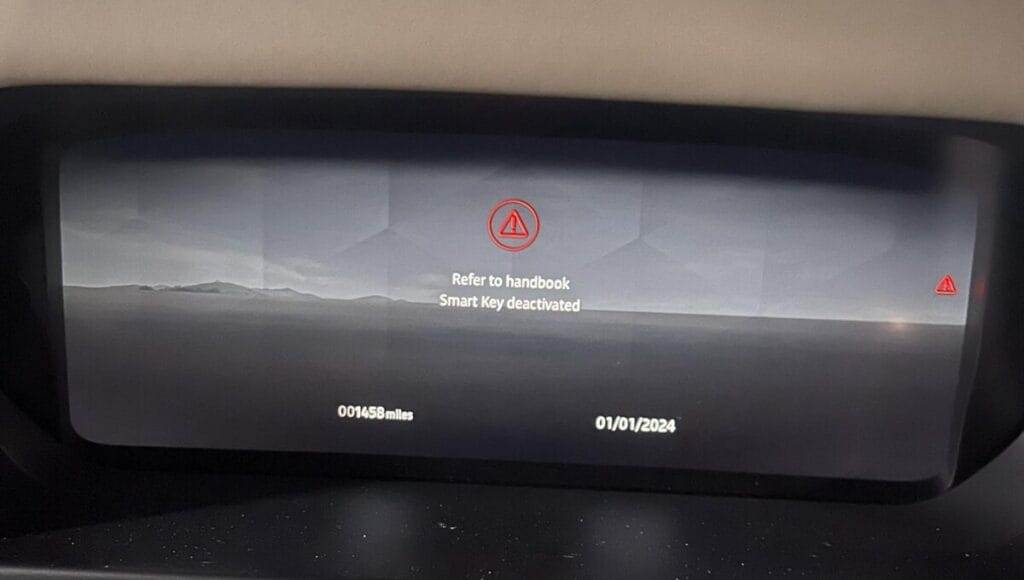
Dashboard warning message is the most obvious indicator. You’ll see “SMART KEY BATTERY LOW” or similar on the instrument cluster or infotainment screen. Don’t ignore this — you typically have a few weeks before the battery dies completely.
Reduced range is often the first symptom. If you used to lock your car from 30 metres away but now need to be within 5 metres, the battery is weakening.
Inconsistent response means sometimes the buttons work first time, other times you need multiple presses. This intermittent behaviour is classic low battery.
Keyless entry stops working while buttons still function. The passive keyless system (touching door handles to unlock) requires more power than pressing buttons, so it fails first.
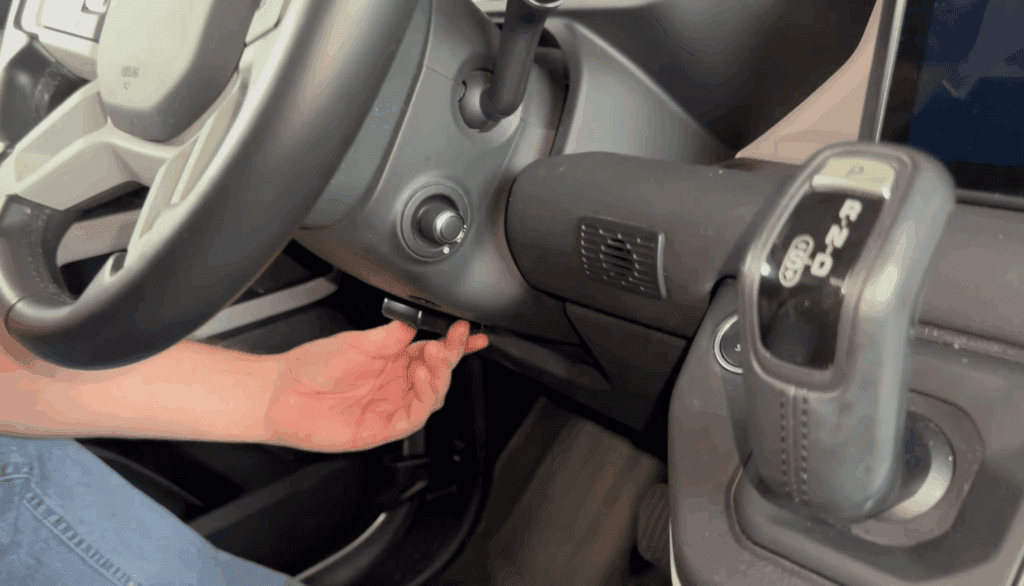
Complete failure means you’ll need to use the emergency key blade to unlock the door and hold the fob against the steering column to start the car.
How to Open a Land Rover Key Fob
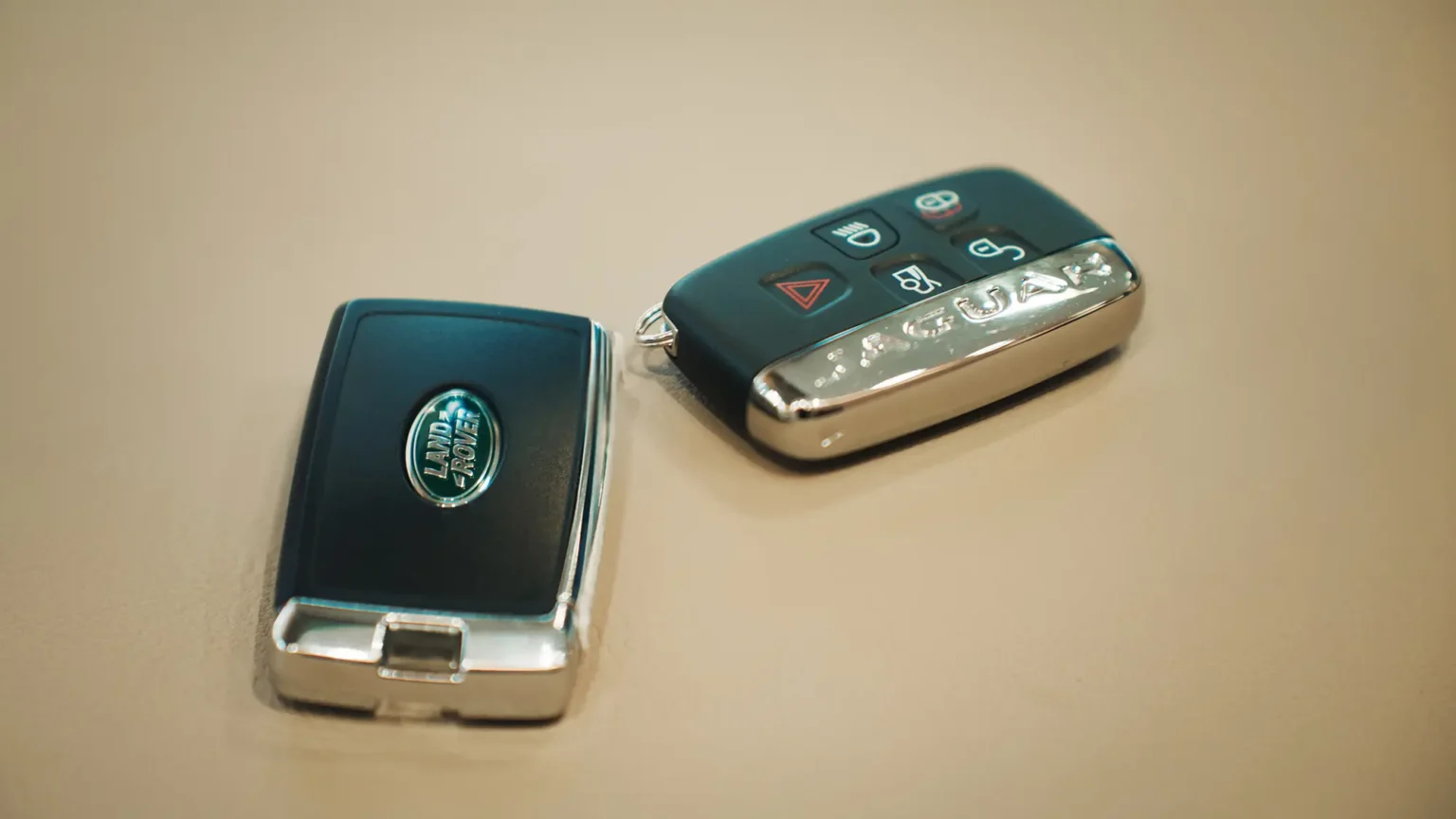
Land Rover key fobs from 2010 onwards all follow a similar design. Here’s how to open them.
Step 1: Release the emergency key blade. Look for a small button or sliding mechanism on the side of the fob. Press or slide it to release the metal key blade. Pull the blade out completely.
Step 2: Separate the fob halves. Use the metal key blade as a lever. Insert it into the seam where the two halves of the fob meet (usually at the end where the key blade was housed). Gently twist to pop the halves apart.
Step 3: Locate the battery. The CR2032 battery sits in a circular holder. Note which way up it’s installed — positive (+) side faces upward in most JLR fobs.
Step 4: Remove the old battery. Use a small flat-blade screwdriver or your fingernail to gently lever the battery out of its holder. Be careful not to damage the metal contacts.
Step 5: Install the new battery. Place the new CR2032 battery in the holder with the positive (+) side facing up. Press it down until it clicks into place.
Step 6: Reassemble the fob. Align the two halves and press them together firmly until you hear them click. Reinsert the emergency key blade.
Step 7: Test the fob. Press the lock button — you should see the indicators flash and hear the locks cycle. Test all buttons including unlock, boot release, and panic alarm.
How to Open a Jaguar Key Fob
Jaguar key fobs have a slightly different design with a chrome or silver end cap. Here’s the process.
Step 1: Remove the end cap. On most Jaguar fobs, there’s a chrome or silver cover at one end. Press the release button on the side and slide the cover off to expose the emergency key blade.
Step 2: Remove the emergency key. Pull the metal key blade straight out of the fob body.
Step 3: Separate the fob body. Use the key blade to pry apart the front and back sections of the fob. Insert the blade into the seam and twist gently. The fob should pop apart.
Step 4: Note the battery orientation. Before removing the old battery, note that the positive (+) side faces upward.
Step 5: Replace the battery. Lever out the old CR2032 and insert the new one, positive side up.
Step 6: Reassemble. Click the front and back halves together, reinsert the emergency key blade, and slide the chrome end cap back into place until it clicks.
Step 7: Test. Lock and unlock the vehicle to confirm the new battery is working correctly.
Important Tips for Battery Replacement
Follow these tips to avoid common problems.
Handle batteries by the edges only. Touching the flat faces transfers oils and moisture from your skin, which can reduce battery life and corrode the contacts. If you do touch the faces, wipe the battery with a lint-free cloth before installing.
Check for protective tabs. New batteries sometimes have a small plastic tab or sticker on one side for storage protection. Make sure you remove this completely — we’ve seen many cases where owners replace the battery but leave the tab on, then wonder why the key doesn’t work.
Use fresh batteries. CR2032 batteries have a shelf life of around 10 years, but cheaper brands or old stock may already be partially discharged. Check the expiry date on the packaging and buy from shops with high turnover.
Replace both keys at once. If one key battery is dead, the other is probably not far behind. It’s easier to replace both at the same time than to repeat the process a few weeks later.
Don’t force anything. If the fob doesn’t pop apart easily, you’re probably prying in the wrong place. Check for hidden clips or try a different seam. Forcing it can crack the plastic.
Keep the old battery until you’ve tested. Don’t throw away the old battery until you’ve confirmed the new one works. If the key still doesn’t function, you’ll want to compare the batteries and check you haven’t made an error.
What If Your Key Doesn’t Work After Battery Replacement?
If you’ve replaced the battery but the key fob still doesn’t work, here are the most common causes and solutions.
Battery installed upside down. The most common mistake. Open the fob and check the positive (+) side is facing up.
Protective tab still attached. Check both sides of the new battery for any remaining plastic film or sticker.
Poor contact. The battery might not be seated properly. Press it firmly into the holder. Also check the metal contacts inside the fob — if they’re corroded or bent, they may not be touching the battery properly.
Defective battery. It happens, especially with cheap batteries. Try another battery from a different source.
Key needs resyncing. In rare cases, particularly if the battery was dead for a long time, the key may have lost synchronisation with the vehicle. Try this: use the emergency blade to manually unlock the driver’s door, then within 10 seconds press the unlock button on the fob. This can resync the remote functions.
Water damage. If the key has been dropped in water or washed in a pocket, the internal circuit board may be damaged. Open the fob and look for corrosion or white residue on the electronics. If present, the key likely needs professional repair or replacement.
Worn button contacts. If the buttons feel soft or don’t click properly, the rubber membrane that presses the circuit board contacts may be worn through. This requires a new key fob case or complete replacement.
Vehicle issue rather than key issue. If neither key works after battery replacement, the problem may be with the car’s RFA (Remote Function Actuator) module rather than the keys themselves. See our guide on Discovery Sport key fob issues for more on this.
Why Does My Key Fob Battery Keep Dying?
If you’re replacing batteries every few weeks or months instead of every 2-4 years, something is wrong.
Storing keys too close to the vehicle is the most common cause. If your keys hang near where you park, the fob and car are constantly communicating, even when you’re not using them. This continuous “handshake” drains the battery much faster than normal. Move your keys further from the vehicle — ideally to another room.
Signal interference from other electronics can keep the fob active. Wi-Fi routers, cordless phones, and some home security systems operate on frequencies that may interact with key fobs. Try storing keys away from electronic devices.
Accidental button presses in your pocket or bag drain the battery. Each press sends a signal even if you’re nowhere near the car. Consider a protective key fob cover or storing the key separately.
Faulty key fob with an internal short circuit will drain batteries rapidly regardless of how you store it. If the problem persists with fresh batteries and proper storage, the fob itself may need replacing.
Using keyless entry frequently does drain batteries faster than using buttons. If you touch the door handles to unlock rather than pressing the button, the fob works harder. This is normal — it just means battery life will be closer to 2 years than 4.
How Long Should a JLR Key Fob Battery Last?
Under normal use, expect 2-4 years from a quality CR2032 battery in a JLR key fob.
Factors that affect battery life include how often you use the key, whether you use keyless entry (more drain) versus buttons (less drain), how far you store the key from the vehicle, and the quality of the battery itself.
If you’re getting less than a year from batteries, review the section above on why batteries keep dying.
Cost of Key Fob Batteries
CR2032 batteries are inexpensive and widely available.
Typical prices (UK 2025):
- Supermarket (Duracell/Energizer): £3-5 for a pack of 2
- Pound shop (unbranded): £1 for 2-4 (not recommended)
- Online (Amazon, quality brands): £5-8 for a pack of 5
- Land Rover/Jaguar dealer: £5-10 for a single battery
There’s no need to buy batteries from a dealer. The CR2032 specification is universal — a Duracell from Tesco is identical to one sold by Land Rover for three times the price.
When to Call a Professional
Most key fob battery replacements are simple DIY jobs. However, you should call a specialist like AutoKeyz if:
- The key still doesn’t work after battery replacement and troubleshooting
- Both keys have stopped working (suggests a vehicle issue rather than key issue)
- The key fob case is damaged or cracked
- You’ve lost a key and need a replacement programmed
- The dashboard shows “Key Not Detected” even with new batteries
- You need keys resyncing after a flat car battery
AutoKeyz offers mobile key fob diagnosis and repair across Kent, London, Essex, East Sussex, Berkshire, Hampshire, and Buckinghamshire. We carry CR2032 batteries, replacement key fob cases, and complete keys in our vans — and we can program new keys on the spot if needed.
Call us on 07769 017971 — we’re available 7 days a week.
Frequently Asked Questions
What battery does a Range Rover key fob take?
All Range Rover models (including Range Rover, Range Rover Sport, Evoque, and Velar) use a CR2032 lithium coin cell battery.
What battery does a Jaguar key fob take?
All current Jaguar models (F-Pace, E-Pace, I-Pace, XE, XF, XJ, F-Type) use a CR2032 lithium coin cell battery.
Can I use CR2025 instead of CR2032?
No. While CR2025 is the same diameter, it’s thinner and has less capacity. It may not make proper contact with the terminals and will drain faster. Always use CR2032.
Do I need to reprogram my key after replacing the battery?
No. Simply replacing the battery does not affect the key’s programming. The transponder chip and encryption codes are retained in non-volatile memory.
Why does my key fob battery only last a few weeks?
Most likely you’re storing the key too close to your vehicle. Move it further away (ideally to another room). If the problem persists, the key fob may have an internal fault.
How do I know when the key fob battery is low?
Your vehicle will display a “SMART KEY BATTERY LOW” warning. You may also notice reduced range or inconsistent button response.
Can I replace the key fob battery myself?
Yes. It takes about 2 minutes and requires no tools beyond the emergency key blade already inside your fob. Follow the step-by-step guide above.
Related Articles
What’s the Difference Between PEPS and CTO/WUB Keys?
Discovery Sport Key Fob Not Working After Flat Battery — Causes & Fixes